How to Use SeatYourself: Complete Setup Guide for Your Wedding
There is a reason seatyourself how to use keeps showing up on every wedding planning checklist. The wedding planning app market is valued at over $2.5 billion and growing at 10 percent annually. Whether you are just getting started or deep into the details, this guide has you covered.
How to Get Started With SeatYourself how to use
Start by collecting your confirmed guest list with dietary needs and any relationship notes. Group guests into natural clusters — college friends, work colleagues, family branches, childhood friends. These clusters become the building blocks of your table assignments.

Next, decide on your table shape and size. Round tables of 8 to 10 are the most common, but long banquet tables create a different dynamic. Your venue layout and guest count will guide this choice. Most couples find that a mix of both works well for visual variety.
Once you have your groups and table format, use a digital tool to drag and drop guests into place. This is far easier than paper and sticky notes because you can instantly swap guests between tables without starting over.
What Modern Couples Are Doing Differently
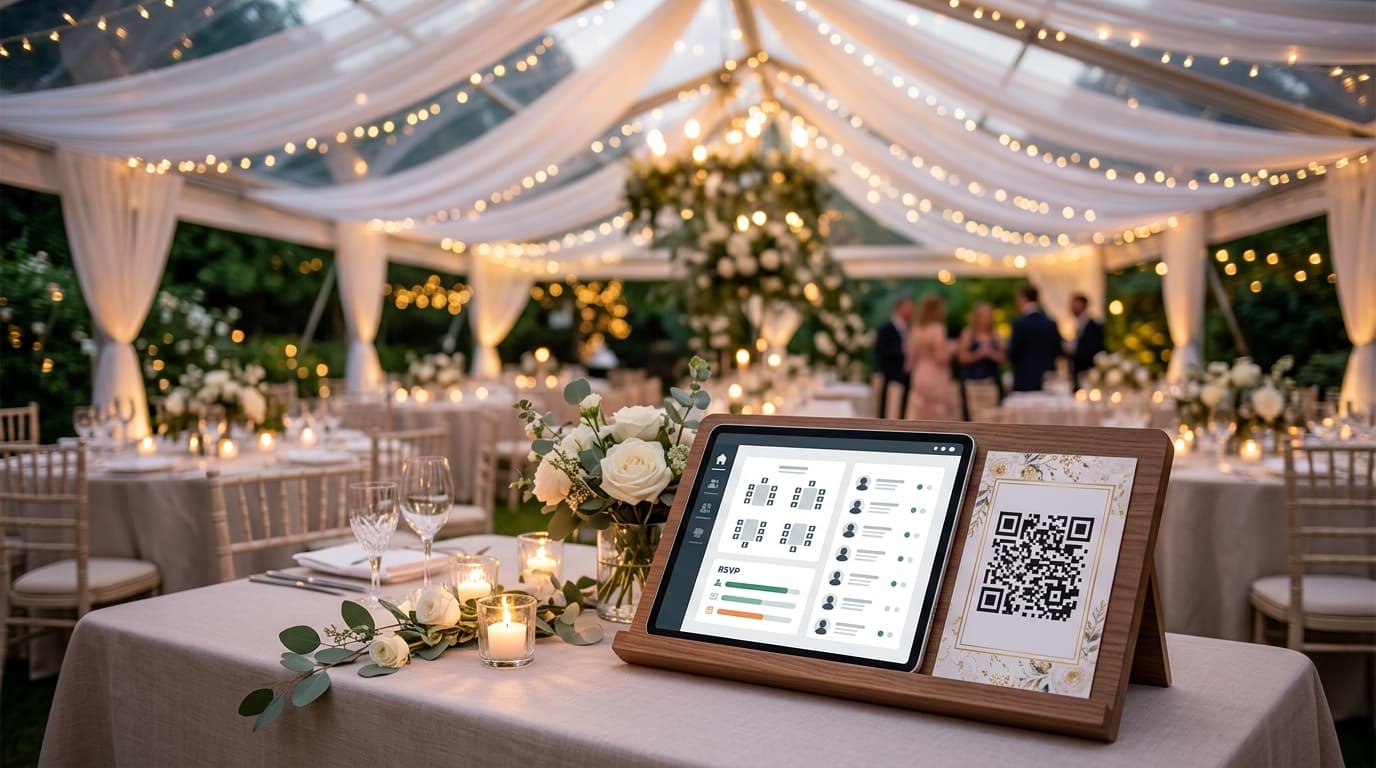
The biggest shift in 2026 is the move from printed seating charts to digital, QR-code-based alternatives. Instead of guests crowding around a poster board, each person scans a QR code with their phone camera, searches their name, and instantly sees their table number.

This approach eliminates several problems at once: no reprinting when a guest cancels, no bottleneck at the seating display, and no confusion when handwriting is hard to read. Plus, the couple can make changes right up to the moment guests arrive.
Digital seating charts also solve the backup problem. Most tools offer a downloadable PDF as a backup in case the venue has poor signal — giving you the best of both worlds.
With that foundation in place, let us look at the practical side.
Why SeatYourself how to use Matters More Than You Think
The seating chart is one of the few wedding elements that directly affects every single guest. It determines who they talk to, how comfortable they are, and whether they actually enjoy the reception. A well-thought-out seating arrangement can turn strangers into friends and keep family dynamics peaceful.
Many couples underestimate the impact of their seating decisions until the day itself. By then, it is too late to fix a poorly placed uncle or an awkward table of mismatched acquaintances. The key is planning ahead with the right tools and strategy.
A Step-by-Step Approach
The most effective approach to SeatYourself how to use starts with gathering your requirements. What do you actually need? What are your constraints — budget, timeline, guest count, venue limitations? Write these down before making any decisions.
Next, research your options. Compare at least three different approaches or tools before committing. Read reviews from couples who have been in your exact situation. Pay attention to what they wish they had done differently.
Finally, make your decision and commit. Analysis paralysis is real in wedding planning. Once you have done your due diligence, trust your judgment and move forward. You can always make adjustments later.
Consider assigning tables rather than specific seats. This gives guests flexibility to choose who they sit next to while still keeping groups together. It is a compromise that works especially well for casual and semi-formal receptions where rigid seat assignments would feel out of place.
Remember that your wedding is ultimately about celebrating your relationship with the people you love most. It is easy to lose sight of that in the fog of planning logistics. Step back periodically, take a breath, and remind yourself that the goal is joy — not perfection.
Set realistic deadlines for each planning milestone and build in a one-week buffer for each one. If your seating chart needs to be finalized three weeks before the wedding, set your personal deadline for four weeks before. This small shift eliminates the panic that comes from last-minute deadlines colliding with real life.
Related Guides You Might Find Helpful
- Digital Seating Charts for Large Weddings: Managing 200+ Guests
- SeatYourself for Event Planners: Manage Multiple Events
- How to Generate a QR Code for Your Wedding Seating Chart
Make Your Seating Chart the Easy Part
SeatYourself is a simple-to-use online seating chart that helps guests interactively find their table number at weddings and large events via QR code. Upload your guest list, assign tables with drag-and-drop, and generate a QR code your guests scan to find their seat — no app download needed. It is free for up to 50 guests, with a Pro plan at $59.95 one-time for unlimited guests.
Try SeatYourself free — no credit card needed
The best wedding planning decisions are the ones you do not have to think about on the day itself. Get this right in advance, and your future self will thank you.